GI JI 0.13.0 is a production release for macOS, Windows and Linux. Windows is available from the Microsoft Store or as a direct download. One payment. Every update to GI JI is included.
Desktop application
GI JI 0.13 for Mac, Windows and Linux.
Choose the download made for the computer where you will use your workspace.
Free
The Free edition does not expire and supports up to 20 documents and three active Working Knowledge notes.
Personal
Personal is a $79 one-time purchase with a 14-day money-back guarantee.
On your own machine
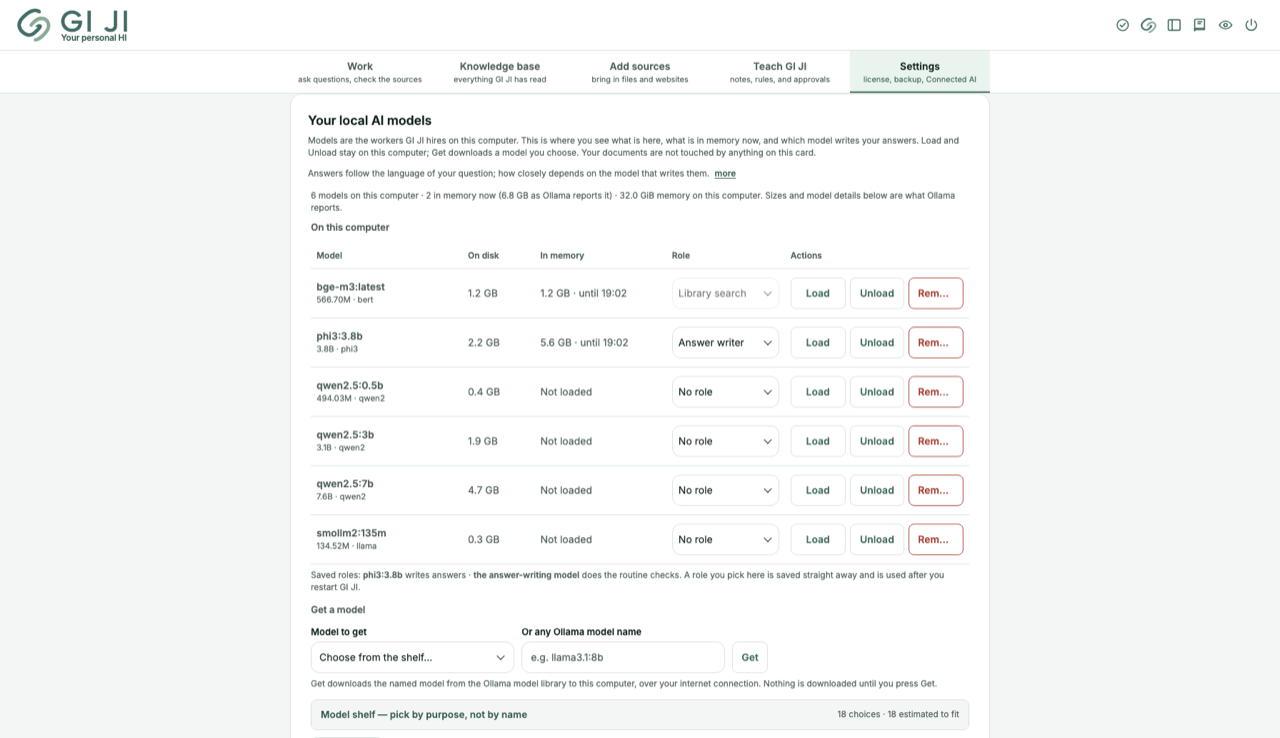
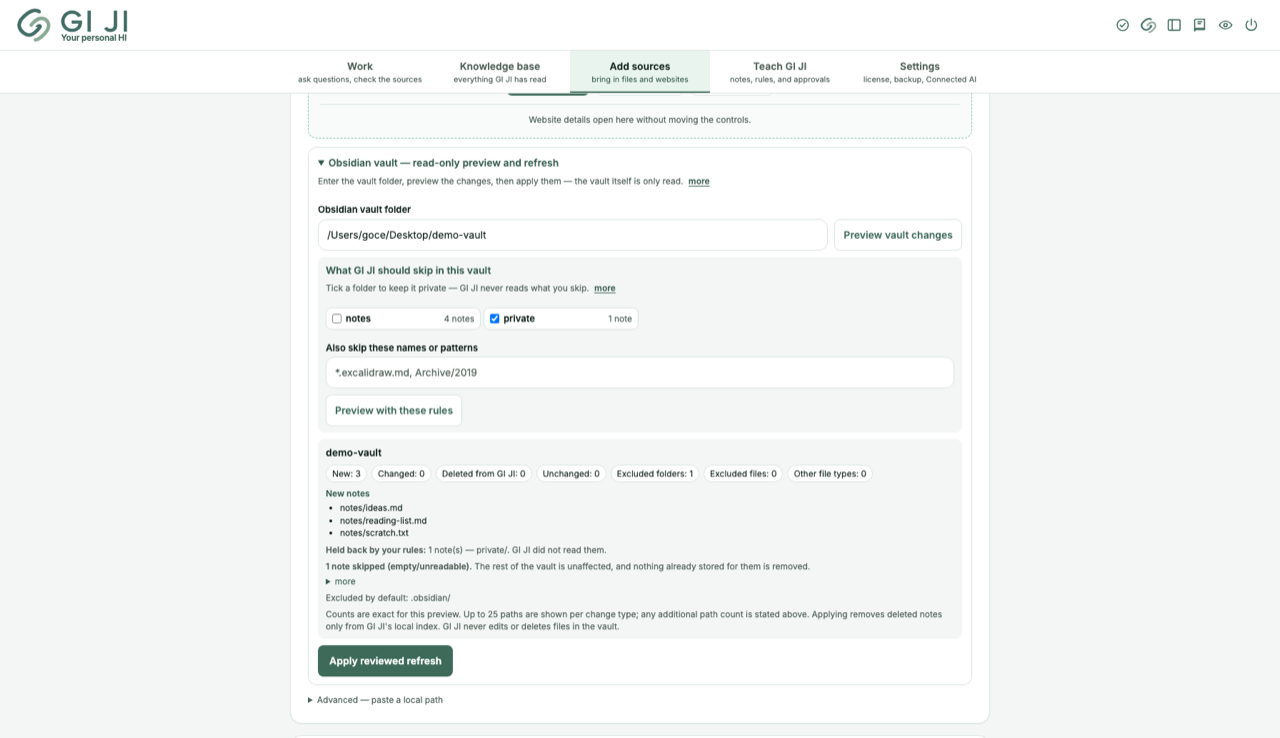
The models are yours to load, and a vault is read, never written.
Your local models, their roles and memory use — load, unload or fetch from one card.Connect an Obsidian vault read-only; skip the folders you choose; the preview tells you what was held back.
DOWNLOAD GATEWAY
The right route, with every choice still visible.
This page can suggest a platform. It never starts a download, hides another platform, or treats browser detection as proof.
Choose the platform for the computer where you will use GI JI.
Not sure? Pick the computer you will use GI JI on.
RECOMMENDED FOR WINDOWS
Request Microsoft’s lightweight installer.
Microsoft downloads a small installer. Open it to check the computer and begin the Store installation.
Direct downloads carry GI JI and its installer side by side. The Microsoft Store route installs GI JI through Microsoft and completes first-run setup inside the app.
Mac. The disk images are Developer ID-signed, notarized by Apple, and stapled for macOS. Not sure which Mac you have? Open the Apple menu, choose About This Mac, and read the Chip or Processor line: anything beginning with M is Apple Silicon. GI JI needs macOS 14.0 or later.
Windows. Choose the Microsoft Store for Microsoft's installer and automatic Store updates. The direct 64-bit package keeps its installer beside the app in a folder of your own.
Linux. The 64-bit release is a tar.gz you unpack and run from your own folder. Setup may fetch Ollama and local models.
Check your download is the exact file we published (SHA-256)
Optional. Compare the value for your computer using shasum -a 256 <file> on macOS, sha256sum <file> on Linux, or Get-FileHash <file> -Algorithm SHA256 in Windows PowerShell.
1. Open the downloadInside it are two things side by side: the GI JI folder, and “GI JI Installer”
2. Open “GI JI Installer”It puts GI JI in your own account’s applications folder, reuses a compatible Ollama installation or fetches a private runtime when needed, and writes a plain install report. It never asks for a password
3. Let the installer finishIf a compatible Ollama is not already available, it fetches a private runtime: about 180 MB on a Mac, about 1.5 GB on Windows or 1.4 GB on Linux. Timing depends on the computer and connection
4. Open GI JI where the installer put it“GI JI.command” on a Mac, “GI JI.exe” on Windows, “GIJI” on Linux. GI JI opens in your own browser, on your own computer
5. Let the two AI models download, onceGI JI fetches them the first time you open it — about 4 GB, ten minutes to two hours depending on your connection. It shows progress as it goes, and if it stops, opening GI JI again carries on from where it got to. Afterwards local document reading and answers need no internet
WHAT YOU NEED
What to have ready.
macOS 14.0 or laterOn a Mac. The installer checks the computer before it changes anything, and stops on an older system; the Windows and Linux builds are 64-bit only
At least 6 GiB freeRoom for GI JI, the private local AI, and its two models; allow more for your own documents
The internet for setupWhile the installer obtains any missing runtime, and again the first time you open GI JI so it can fetch its initial models; after that local document reading and answers need no internet
Ollama and local modelsThe installer reuses a compatible Ollama or obtains a private runtime when needed, and GI JI downloads its initial models itself; you do not fetch them by hand
8 GiB memoryThe comfortable amount; GI JI checks your computer before it installs